Kyiv Smart Card: where to buy it, how to top up and use it
How to buy and top up a Kyiv Smart Card, check fares and pay for public transport in Kyiv.

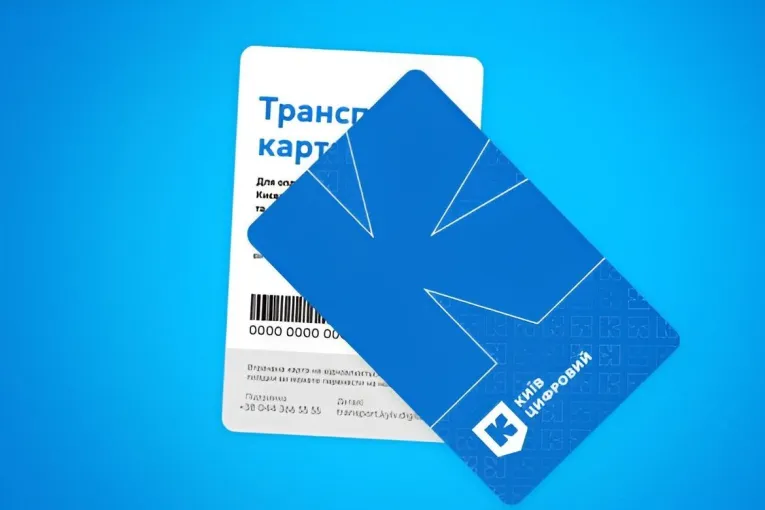
You can pay for public transport in Kyiv using a plastic or virtual transport card, a bank card, your phone or a QR ticket. If you’re visiting for just a few days, you probably won’t need a separate transport card. But if you’re staying longer or travelling regularly, a Kyiv Smart Card lets you buy discounted rides and transport passes.
In this guide, we’ll explain where to buy a transport card, how to top up your balance, how much a ride costs and how to use a ticket validator.
For an overview of your travel options, see our guide to getting around Kyiv.
What is a Kyiv Smart Card and where can you use it?
The Kyiv Smart Card is a reusable card for paying fares on Kyiv’s municipal public transport network. It’s part of the city’s electronic ticketing system, which also includes single-use QR tickets.
You can use the card on the metro, city bus services, trolleybus routes, tram lines and the funicular. Load rides onto your card, then validate your fare each time you travel.
You don’t need a separate metro card. The same Kyiv Smart Card works on both the metro and municipal surface transport.
There are two options:
- Plastic card: A physical card you tap against a reader at a metro turnstile or on public transport. You don’t need a smartphone to use it.
- Virtual card: A digital version stored in the Kyiv Digital app. You can use your phone to pay for rides and generate QR tickets for the metro.
The card isn’t accepted on privately operated minibuses, known locally as marshrutkas. These services have their own payment rules. Kyiv City Express also uses a separate ticketing system.
Which payment method should you choose?
The best option depends on how long you’re staying in Kyiv and how often you plan to use public transport.
| Payment method | Best for |
|---|---|
| Bank card, Apple Pay or Google Pay | Occasional rides and short visits |
| Single-use QR ticket | One ride without buying a transport card |
| Plastic Kyiv Smart Card | Regular travel without relying on a smartphone |
| Virtual Kyiv Smart Card | Regular travel using your phone |
| Transport pass | Frequent travel over a day, several days or a month |
If you’re staying in Kyiv for a while, a plastic or virtual transport card may be worth getting. For a short visit, a contactless bank card or QR ticket is usually the easiest option.
If your journey involves several changes between different types of transport, consider the 90-minute transfer ticket.
How much does public transport cost in Kyiv in 2026?
Since July 15, 2026, a single fare on the metro, municipal buses, trolleybuses, trams or funicular has cost UAH 30.
Multi-ride packages
You can load several rides onto your Kyiv Smart Card at once. The more rides you buy, the less you pay per ride.
| Number of rides | Price per ride |
|---|---|
| 1–9 | UAH 30 |
| 10–19 | UAH 28.90 |
| 20–29 | UAH 27.80 |
| 30–39 | UAH 26.60 |
| 40–49 | UAH 25.50 |
| 50 | UAH 25 |
For example, 50 rides cost UAH 1,250 instead of UAH 1,500 at the standard single-ride fare. That’s a saving of UAH 250.
Monthly transport passes
If you use public transport every day, you can buy a monthly pass with a set number of rides or an unlimited pass.
Under the fares introduced in July 2026, an unlimited monthly pass costs UAH 3,656. Discounts are available for eligible students.
You can check available passes in the Kyiv Digital app or at self-service ticket machines. Before buying, make sure you understand how long the pass is valid and how many rides it includes.
24-hour, 48-hour and 72-hour passes
Short-term unlimited passes are also listed among Kyiv’s transport options:
| Pass duration | Price |
|---|---|
| 24-hour pass | UAH 375 |
| 48-hour pass | UAH 563 |
| 72-hour pass | UAH 750 |
Check availability before purchasing, along with which services the pass covers and when it becomes valid.
90-minute transfer ticket
Since August 1, 2026, Kyiv has offered a 90-minute transfer QR ticket for UAH 60.
It lets you change between the metro, municipal buses, trolleybuses, trams and funicular within 90 minutes of your first validation. Scan the same QR code each time you change services.
The ticket isn’t valid on private minibuses or Kyiv City Express.
Where to buy a Kyiv Smart Card
You can choose between a plastic and a virtual Kyiv Smart Card. A plastic card is useful if you’d rather not depend on your phone, while a virtual card keeps everything in one app.
How to buy a plastic Kyiv Smart Card
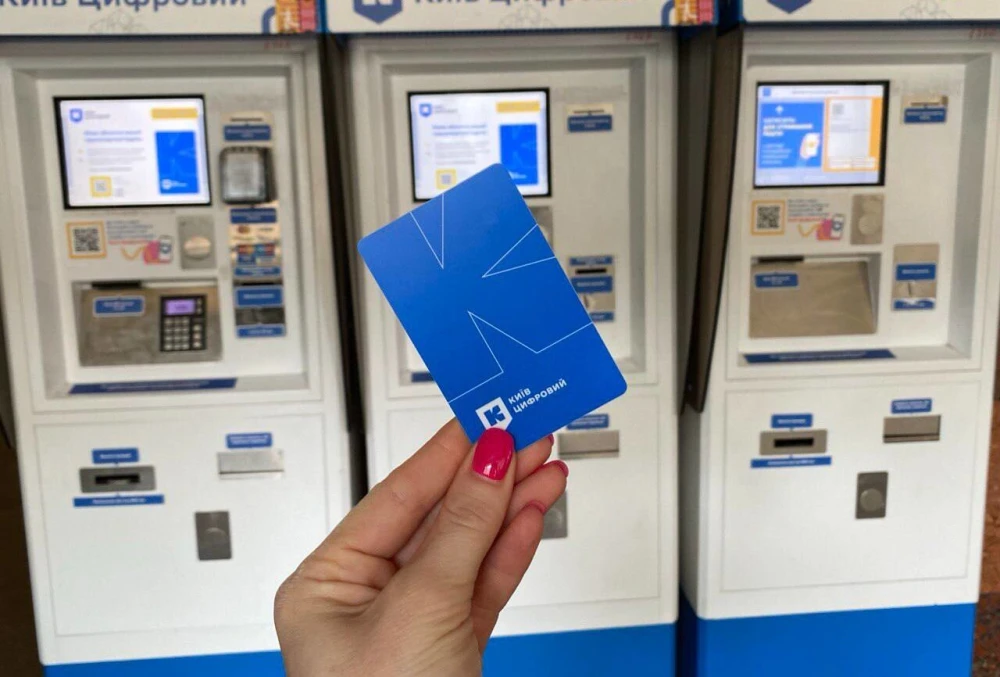
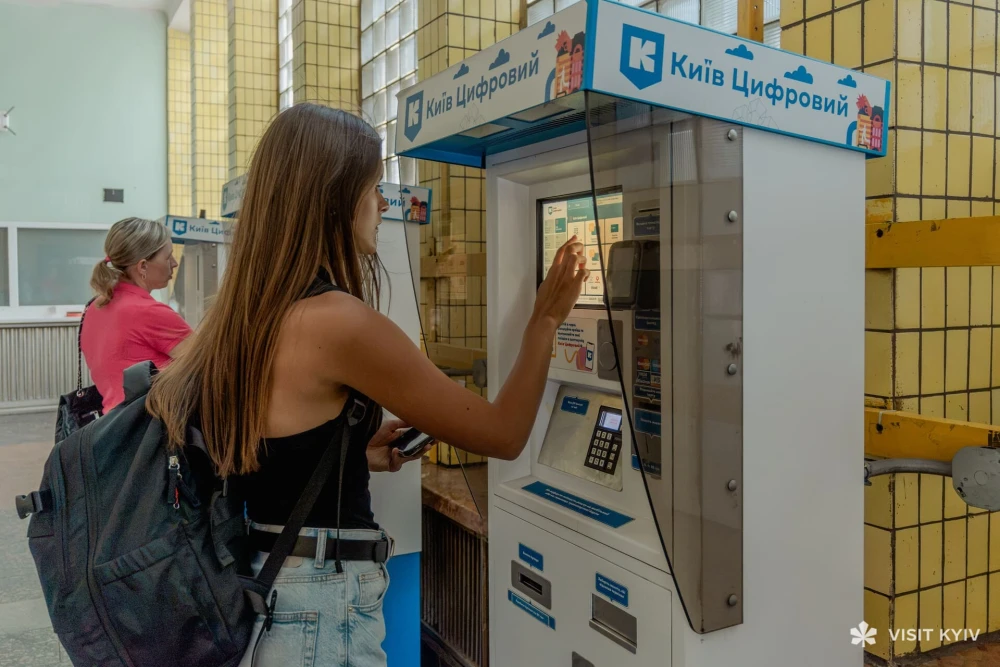
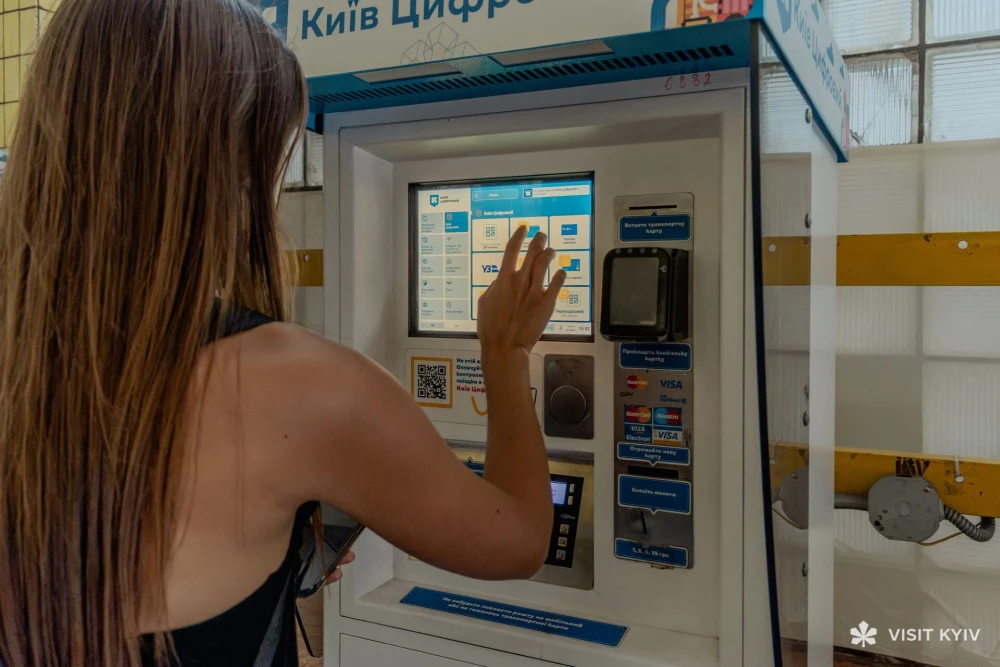
You can buy a plastic card from a self-service ticket machine at a metro station, as long as the machine supports transport card sales.
- Find a ticket machine that sells transport cards.
- Select the option to buy a transport card.
- Check the price and available payment methods.
- Pay and collect your card.
- Load the number of rides you need.
According to the latest official city information cited in this guide, a plastic transport card has cost UAH 96, excluding rides, since July 2025.
If the machine doesn’t sell transport cards, try another one or check an official ticket sales point.
How to buy a virtual Kyiv Smart Card
You can get a virtual transport card without visiting a metro station. All you need is the Kyiv Digital app.
- Download Kyiv Digital and register.
- Open the Transport Card section of the Kyiv Digital app.
- Select the option to buy a virtual card.
- Complete the payment.
- Add rides to your card.
According to the latest official information cited in this guide, a virtual card has cost UAH 50 since August 2024. Check the current price in the app before purchasing.
For more information about Kyiv Digital and other helpful services, see our guide to useful apps for visitors to Kyiv.
How to top up your Kyiv Smart Card
You can top up your transport card online or at supported ticket machines and payment terminals.
For the easiest option, use the Transport section of the Kyiv Digital app to manage your card, buy rides and check your balance.
Top up using Kyiv Digital
- Open the Kyiv Digital app.
- Go to the Transport Card section.
- Select your card.
- Tap Top Up.
- Choose the number of rides or an available transport pass.
- Confirm your payment.
- Check your updated balance.
You can also link a plastic card to your account using the details printed on it.
Top up using online payment services
You may also be able to top up a plastic card through EasyPay or Portmone, depending on service availability.
Enter your card number, choose the number of rides and complete the payment. Check for any additional fees before confirming.
How to top up with cash
If you’d rather pay in cash, look for a self-service payment terminal or ticket kiosk that supports transport card top-ups and accepts cash.
Select the top-up option, enter or scan your card number, choose the number of rides and insert your money. Keep your receipt until the payment is confirmed.
How to check your card balance
You can see how many rides you have left in the Kyiv Digital app. Open your virtual card or link your plastic card to your account first.
If your newly purchased rides don’t appear, check the payment status before trying again.
How to use a Kyiv Smart Card on the metro
You pay for your metro journey at the turnstile before entering the platform area.
Using a plastic card
- Go to a turnstile with a contactless reader.
- Tap your card on the reader.
- Wait for confirmation that your payment was successful.
- Walk through the turnstile.
Using a virtual card
To use your virtual card on the metro, you’ll need to generate a QR ticket.
- Open Kyiv Digital.
- Select your virtual transport card.
- Tap Create QR Ticket.
- Hold the QR code up to the turnstile scanner.
- Wait for confirmation and go through.
If you generate a QR ticket using a ride from your card but don’t use it before midnight, the unused ride is returned to your balance.
For metro lines, transfers, operating hours and travel tips, read our Kyiv Metro guide.
How to use a validator on buses, trams and trolleybuses
When you board a bus, tram or trolleybus, find a ticket validator inside the vehicle. Tap your transport card or bank card, or scan your QR ticket, and wait for payment confirmation.
- Plastic card: Tap it against the contactless reader.
- Virtual card: Hold your phone against the reader with your virtual transport card set up.
- QR ticket: Hold the QR code in front of the scanner.
If you’re using a virtual transport card, make sure the validator deducts a ride from that card rather than charging a separate fare to a bank card stored on your phone.
Need help finding the right route or stop? See our guide to buses, trams and trolleybuses in Kyiv.
How to buy a metro ticket without a transport card
You don’t need a Kyiv Smart Card for a single metro journey. You can buy a QR ticket or pay directly with a contactless bank card.
Using Kyiv Digital
- Open the QR Tickets section in the app.
- Choose your ticket type.
- Select how many tickets you need.
- Complete the payment.
- Open your ticket and scan it at the metro turnstile.
Using a ticket machine
- Select the option to buy a single-use ticket.
- Choose the ticket type and quantity.
- Pay for your tickets.
- Collect your printed ticket and scan its code at the turnstile.
How to pay for public transport without a Kyiv Smart Card
You can pay on Kyiv’s metro and municipal surface transport using contactless Visa or Mastercard bank cards, as well as Apple Pay or Google Pay.
Just tap your card or phone against the reader and wait for confirmation.
Foreign bank cards may also work, provided your bank allows the transaction. Any currency conversion charges or additional fees depend on your bank.
Ticket inspections and common problems
Ticket inspectors may check whether you’ve paid your fare on municipal surface transport.
Keep the card, phone or QR ticket you used to pay until the end of your journey. If an inspector checks your ticket, use the same payment method you used when boarding.
If the validator doesn’t beep, check the screen for a confirmation message. If your payment hasn’t gone through, try another validator or ask a member of staff for help.
Travelling without a valid ticket can result in a fine. Check the transport operator’s current rules for the applicable amount.
FAQ

No. If you’re only making a few journeys, a contactless bank card, Apple Pay, Google Pay or a single-use QR ticket will usually be enough.
Yes, provided your card supports contactless and international payments. Currency conversion charges depend on your bank.
You can buy a plastic card from a self-service ticket machine that supports card sales. Virtual cards are available through the Kyiv Digital app.
Kyiv Digital supports international phone numbers. You’ll need to enter your number and complete the verification process.
You can buy separate QR tickets for multiple passengers in one app. Whether you can validate multiple rides with the same physical card depends on the fare and validation rules. Each passenger must have a valid ticket.
Check the screen for payment confirmation. If nothing appears, try another validator or ask a member of staff for help.
No. Privately operated minibuses have their own fares and payment arrangements.
Not with a standard single-ride ticket. If you’re changing services within 90 minutes, you can buy a transfer QR ticket for UAH 60 and validate it each time you transfer.
Yes, at ticket machines or payment terminals that support transport card top-ups and accept cash.
Check the Kyiv Digital app or municipal self-service ticket machines for available passes. Make sure you check the price, validity period and number of rides included.
The easiest way is to tap a contactless bank card at the metro turnstile. You can also buy a QR ticket through Kyiv Digital or at a ticket machine.
Plastic transport cards are available from ticket machines that support card sales. You can get a virtual card through the Kyiv Digital app.
Try another machine that sells transport cards. If you only need a single ride, you can use a QR ticket or pay directly with a contactless bank card.
About the author