Mobile internet and SIM cards in Kyiv
How to choose a SIM card, set up an eSIM and get online in Kyiv.

You can use your existing SIM card in Kyiv or get a Ukrainian SIM or eSIM. Ukraine has three main mobile operators: Kyivstar, Vodafone Ukraine and lifecell. Here’s how to choose the right option, get connected and stay online during power cuts.
What’s the best way to stay connected in Kyiv?
If you’re visiting Kyiv for a few days, check your mobile provider’s roaming terms before buying a local SIM card. For a longer stay, or if you need a Ukrainian phone number, a local SIM or eSIM may be more convenient.
| Your situation | What to consider |
|---|---|
| Short trip from an EU country | Check your current plan — roaming may be all you need |
| Visiting from outside the EU | Compare roaming charges with a Ukrainian SIM or eSIM |
| Staying for several weeks or months | Consider a local prepaid SIM or eSIM |
| Need a Ukrainian phone number | Choose a SIM or eSIM from a Ukrainian operator |
| Need mobile data as soon as you arrive | Set up an eSIM in advance if your phone supports it |
Will my SIM card work in Ukraine?
If you have a SIM card from an EU operator
Since 1 January 2026, Ukraine has been part of the European Roam Like at Home scheme.
This means customers of EU mobile operators can make calls, send texts and use mobile data in Ukraine under their domestic plan, without standard roaming surcharges. The scheme also covers Iceland, Liechtenstein, Norway and Moldova.
However, fair use limits may apply, particularly to mobile data. For example, unlimited data at home doesn’t necessarily mean unlimited data while roaming.
If you’re planning to stay in Ukraine for several months, check your provider’s rules for extended roaming. It’s also worth confirming your data allowance and any other restrictions before travelling.
You can read more about the rules on the European Commission’s website.
If you have a SIM card from outside the EU
International roaming may also be available for travellers from other countries, but availability and charges depend on your provider.
Before travelling, check whether your plan supports roaming in Ukraine, how much mobile data, calls and texts will cost, and whether your provider offers a travel package for Ukraine.
If roaming is expensive, compare the cost with a Ukrainian prepaid SIM or eSIM.
Which mobile operators are available in Ukraine?
Ukraine has three main mobile operators:
- Kyivstar — physical SIM cards, eSIMs, prepaid and contract plans.
- Vodafone Ukraine — mobile calls and data, physical SIM cards and eSIMs.
- lifecell — prepaid and contract plans, physical SIM cards and eSIMs.
All three have coverage in Kyiv, although signal strength can vary depending on the neighbourhood, building and network traffic.
If you’re staying for a while, compare their plans and check coverage around your accommodation.
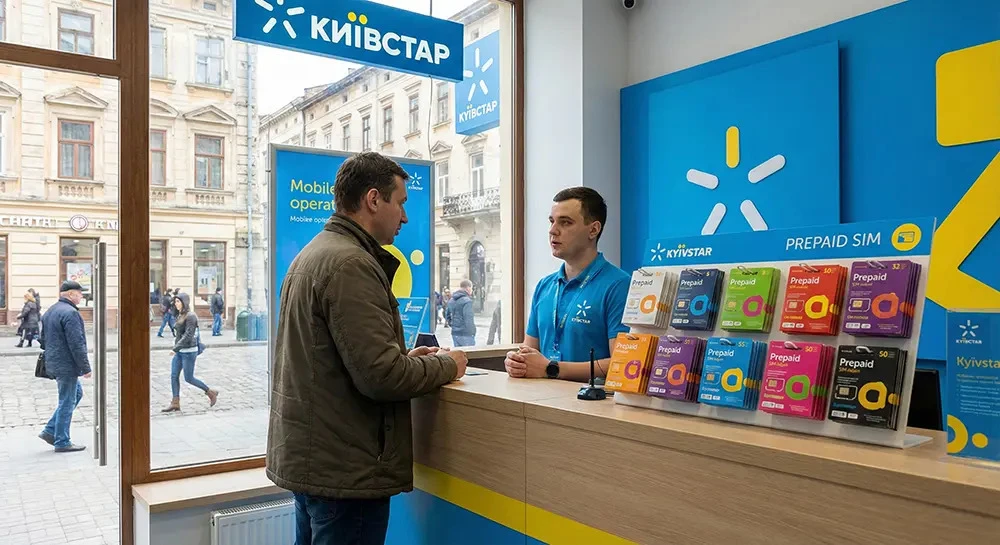
How to buy a Ukrainian SIM card
Foreign visitors can buy prepaid SIM cards in Ukraine. You generally don’t need a passport for a standard prepaid SIM, although identification requirements may vary by operator and service. Contract plans usually require identity verification.
For most visitors, a prepaid plan is the simplest option. You pay for a package of calls, texts and data, then top up when needed.
Where can you buy a SIM card in Kyiv?
The easiest option is to visit an official Kyivstar, Vodafone Ukraine or lifecell store. Staff can help you choose a plan and get your number working.
Starter packs are also sold at some electronics shops and other retailers. You can find your nearest official store on the operator’s website.
How much does a SIM card cost?
Prices depend on the operator, data allowance and services included.
Before buying, check both the initial price and how much you’ll need to pay to renew the plan. Some Ukrainian mobile plans renew every four weeks rather than once a calendar month.
For current prices in Ukrainian hryvnia (UAH), check the operators’ official websites.
If you’re bringing a phone from abroad, make sure it’s unlocked and can accept SIM cards from other operators.
How to get a Ukrainian eSIM
An eSIM is a digital SIM that lets you connect to a mobile network without inserting a physical card.
Kyivstar, Vodafone Ukraine and lifecell offer eSIMs. They can be useful if you’d like to arrange mobile service before arriving or keep your home number and a Ukrainian number on the same phone.
How to set up an eSIM
- Check your phone. Make sure your model supports eSIM.
- Choose an operator and plan. Check that the plan is available to new prepaid customers.
- Buy your eSIM. Online purchase, payment and activation options vary by operator.
- Get your installation details. The operator will usually provide a QR code.
- Add the eSIM in your phone settings and follow the activation instructions.
You’ll generally need an internet connection to install an eSIM, so it’s worth setting it up over Wi-Fi before your trip.
Official operator pages: Kyivstar eSIM, Vodafone eSIM and lifecell.
Some travel eSIMs provide mobile data only, without a phone number for regular calls and texts. If you need a Ukrainian number, make sure your chosen plan includes one.

Is free Wi-Fi available in Kyiv?
You’ll often find Wi-Fi in cafés, restaurants, hotels, shopping centres and coworking spaces. In some places, you’ll need to ask staff for the password.
Connection speeds vary, and Wi-Fi may stop working during a power cut if the venue doesn’t have backup power.
It’s worth having mobile data as a backup, particularly if you rely on maps, taxi apps or important notifications.
When using public Wi-Fi, avoid sharing sensitive information over unsecured connections.
Does mobile internet work during power cuts?
Mobile networks can continue operating on backup batteries or generators when the electricity goes out. However, connections may become slower or drop altogether during prolonged outages.
Even if your phone shows a signal, mobile data may be slow because more people are using the network. Reliability depends on the operator’s equipment and conditions in your area.
Home and hotel Wi-Fi can also stay online during an outage, provided the internet provider and equipment in the building have backup power.
A few things worth doing in advance:
- Keep your phone and power bank charged.
- Download an offline map of Kyiv.
- Save your accommodation address and important phone numbers.
- If you’re working remotely, ask your hotel or host whether their internet works during power cuts.
For more practical advice, see our guide to power outages in Kyiv.
If you need somewhere to charge your phone or get online during an extended outage, check our guide to Points of Invincibility in Kyiv.
What to do if you lose mobile signal
If you’re using a Ukrainian SIM card, you may be able to connect to another operator through national roaming when your usual network is unavailable.
This backup service lets customers of Ukrainian mobile operators temporarily use another domestic network during disruptions.
How to switch to another network
- Open your phone’s mobile network settings.
- Turn off automatic network selection.
- Wait for the list of available networks to appear.
- Try connecting to another Ukrainian operator — Kyivstar, Vodafone or lifecell.
- If that doesn’t work, try another available network.
- Once your usual operator is working again, turn automatic network selection back on.
According to Ukraine’s telecom regulator, NCEC, there’s no separate charge for connecting through national roaming. Calls and texts are charged according to your existing plan.
Mobile data may be limited or slower, so use it for essential messages and information rather than streaming or large downloads.
You can check the latest guidance on the NCEC website.
National roaming is intended for customers of Ukrainian mobile operators. If you’re using a foreign SIM card, access to other networks depends on your international roaming agreement.

How to check your balance and top up your SIM card
The easiest way to manage your account is through your operator’s app: My Kyivstar, My Vodafone or My lifecell.
You can check your balance, remaining data allowance and next renewal date there.
To top up, use the operator’s app or website, online banking, a payment terminal or an official store.
Whether you can pay with a foreign bank card depends on the payment provider and your bank. If a payment fails, try another available top-up method.
For more on using international bank cards and making payments in Ukraine, see our guide to money and currency exchange in Kyiv.
A few things to know about Ukrainian phone numbers
Ukraine’s international dialling code is +380.
It’s best to save Ukrainian numbers in international format, for example +380 XX XXX XX XX. That way, you can use them both in Ukraine and abroad.
Before travelling, it’s also worth downloading apps for transport, navigation and safety alerts. You’ll find our recommendations in the guide to useful apps for visitors to Kyiv.
FAQ

It depends on your provider. Customers of EU operators can use the Roam Like at Home scheme, subject to their plan’s terms. If you’re travelling from another country, check international roaming availability and charges before your trip.
Not necessarily. Roaming may be enough for a short visit. A local SIM or eSIM is worth considering if you need a Ukrainian number or a better-value mobile data plan.
Visit an official Kyivstar, Vodafone Ukraine or lifecell store. Staff can help you choose a plan and activate your number.
Yes. Ukrainian operators offer eSIMs, including online purchase options. Check that your phone is compatible and review the payment and activation requirements before buying.
Kyivstar, Vodafone Ukraine and lifecell all offer prepaid mobile data plans. Compare prices, data allowances and coverage around the places you’ll be staying or working.
It can, thanks to backup power at mobile network sites. However, speeds may drop and connections can fail during longer outages.
If you have a Ukrainian SIM card, try manually connecting to another operator through national roaming. If that doesn’t work, use available Wi-Fi or try again later.